


Many common stand mixer concerns—like wobbling, shaking, slow mixing, scraping, unusual sounds or a mixer that stops mid-recipe—can often be traced to bowl placement, accessory fit, beater-to-bowl clearance, batch size or heavy mixing loads. This KitchenAid® mixer troubleshooting guide walks through quick checks, symptom-based tips and signs that it may be time to contact service.
Start with a few simple setup checks, then move to the section that best matches what you’re noticing, from power and performance concerns to movement, adjustment, sounds, smells and long-term care.
KitchenAid® mixer troubleshooting guide
KitchenAid® mixer troubleshooting guide
KitchenAid® stand mixer troubleshooting at a glance
Use this quick chart to match what you’re noticing with the first checks to try. Start with simple setup, speed and accessory checks before moving into the detailed troubleshooting sections below.
If you notice... | Start by checking... | What to do next |
Mixer won’t turn on or stops after a few minutes | Power cord, outlet, speed control lever, overheating, steam or heavy batch size | Turn the mixer Off, unplug it and let it rest. Try another outlet if needed and allow the motor to cool before restarting. |
Motor runs but the beater won’t spin | Beater, whip or dough hook attachment; beater shaft; whether something hard fell into the bowl | Turn the mixer Off, unplug it and reattach the accessory securely. If the beater still does not turn, contact KitchenAid support. |
Mixer feels slow, weak or stalls with dough | Dough density, batch size, accessory type and kneading speed | Use the dough hook and do not exceed Speed 2 when kneading dough. Reduce batch size if needed. |
Speed control only works on some settings | Thick mixtures, Soft Start behavior or speed response with an empty bowl | Test speed response with an empty bowl. If speed still surges, skips or hesitates, service may be needed. |
Beater hits the bowl or misses ingredients at the bottom | Beater-to-bowl clearance, bowl position and the dime test | Use the dime test to check clearance. If needed, adjust based on whether the beater sits too high or too low. |
Head wobbles, shakes, lifts or won’t stay locked | Tilt-head lock, beater-to-bowl clearance, neck pin or heavy mixing loads | Some movement is normal with heavy mixtures. If shaking or wobbling continues with lighter mixtures, check the neck pin or contact KitchenAid support. |
Bowl won’t lock into place or feels unstable | Bowl seating, base plate, support arms, bowl clips or kneading speed | Secure the bowl based on your mixer style. Use Speed 2 for kneading dough and check for worn connection points if instability continues. |
Optional attachment is not working properly | Front attachment hub fit and attachment instructions | Make sure the attachment is fully secured in the front hub before use. |
Mixer makes clicking, grinding or knocking sounds | Bowl lock, accessory fit, beater-to-bowl clearance and whether the sound continues | Light tapping may be normal with dense mixtures. Stop using the mixer and contact KitchenAid support if loud noises persist. |
Mixer smells hot during mixing | Batch size, mixing time, accessory, speed and repeated overheating | Turn the mixer off and let it rest. For kneading dough, use the dough hook and do not exceed Speed 2. |
Oil appears near the beater shaft or motor head | Storage position, long storage, infrequent use or grease separation | Store the mixer upright and run it at least once per month. Wipe away oil before mixing. Contact KitchenAid support if leakage is heavy or recurring. |
Issue keeps returning or seems mechanical | Repeated power loss, recurring oil leakage, damaged cord, worsening movement or beater shaft issues | Stop using the mixer and contact KitchenAid support with your model number, serial number and a description of when the issue occurs. |
Quick checks before troubleshooting
Before troubleshooting a specific concern, start with the basics. A mixer that seems off may simply need the bowl locked more securely, the accessory seated correctly or the speed control lever moved fully into position.
Always turn the speed control to Off and unplug the mixer before inspecting the bowl, attachments or moving parts. These first checks can help you determine whether the symptom is related to setup, alignment, batch size or something that needs closer attention.

1. Assess your mixer based on style
Tilt-head stand mixers lock at the motor head, while bowl-lift models secure the bowl on support arms and raise it with a lifting lever. Because these designs function differently, troubleshooting steps for movement, bowl positioning and beater clearance can vary by model style.
Before getting started, look for details like the bowl arms, locking mechanism and motor head position. Comparing the key differences between tilt-head vs. bowl-lift styles and understanding mixer bowl compatibility can help confirm which parts, bowls and accessories are designed for your model.

2. Confirm power, controls and mixer setup
Start by making sure the power cord is fully plugged into a working outlet and the speed control lever is set to Off before restarting the mixer.
Next, verify that the accessory is fully seated and the bowl is secured correctly. The How to Use a Stand Mixer guide can help you compare basic assembly steps, control positions and model-specific setup details before moving into deeper troubleshooting.
3. Check the bowl, beater and accessory fit
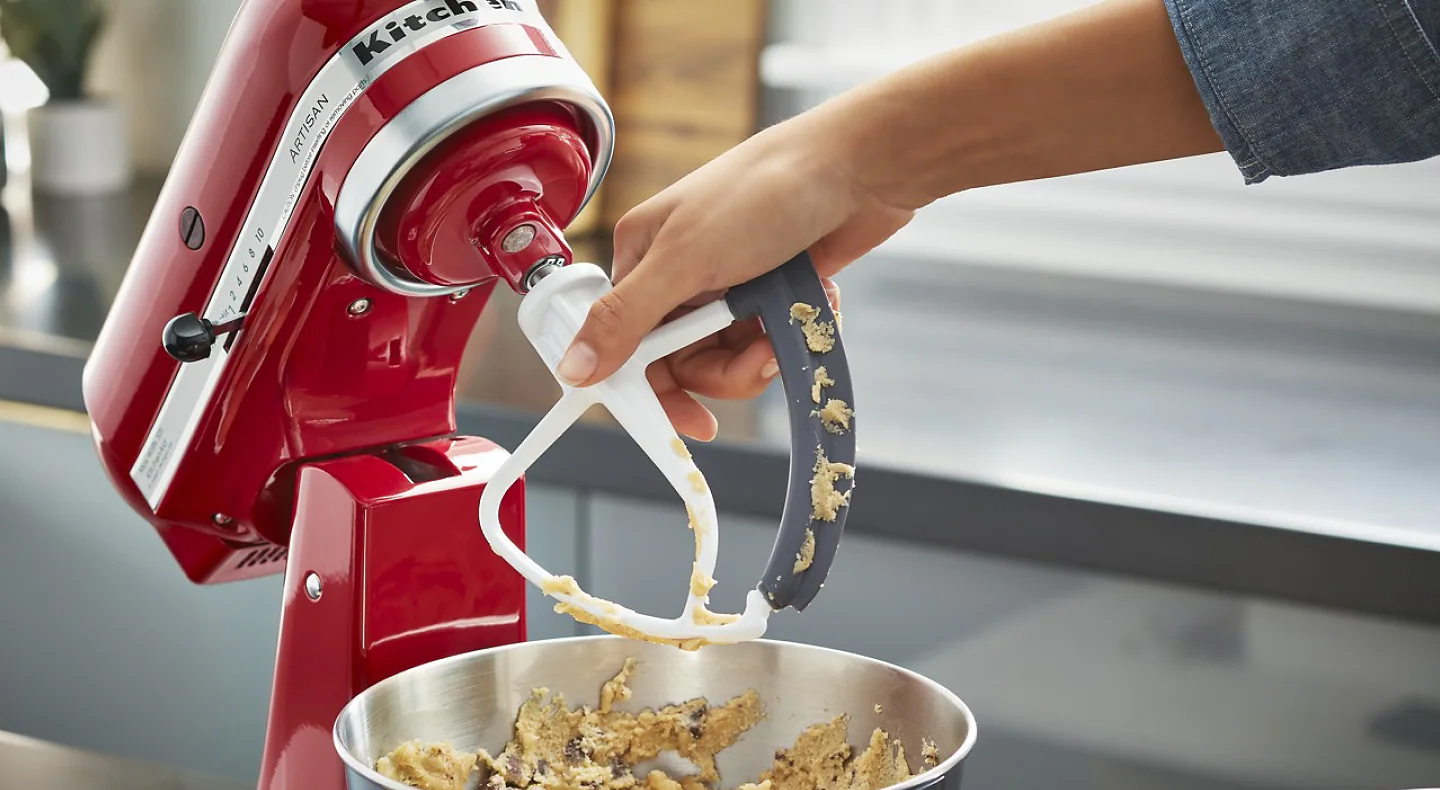
An unlocked mixing bowl, loose flat beater or mismatched accessory can cause rattling, uneven mixing or contact with the bowl. Make sure the accessory is pushed fully onto the shaft and twisted securely into place, then confirm that the bowl is locked onto the base or seated evenly on the bowl arms.
Included accessories like the flat beater, dough hook and wire whip are designed for specific mixing tasks. Optional accessories, such as a flex edge beater or pastry beater, are sold separately and should be compatible with your mixer model. Reviewing compatible beater attachments can help confirm proper fit and beater-to-bowl clearance before your next batch.

Power, speed and performance troubleshooting
When a stand mixer stops suddenly, feels weak or does not respond to speed changes as expected, the cause is often related to overheating, overloading, setup or the type of mixture in the bowl.
Use the symptoms below to start with the simplest checks first, then decide whether the mixer may need professional service.
4. Mixer won’t turn on or stops after a few minutes
If the mixer will not turn on, first confirm that the power cord is plugged into a working outlet and that the speed control lever is set to Off before restarting. Try another outlet if needed, especially if the mixer shows no sign of power.
If the mixer stops during use, turn the speed control lever to Off, unplug the mixer and let it rest. Select KitchenAid® stand mixers include thermal overload protection, a built-in safety feature designed to shut the motor off temporarily if the mixer becomes overheated or overloaded. If it does not restart after a short pause, allow the motor to cool for about 30 minutes before trying again.
Steam can also affect operation. If you’re mixing something hot or steamy, condensation may interrupt the electrical flow and cause the motor to shut off temporarily. Once the steam dissipates, the mixer may restart after a few minutes.
Dense mixtures like sourdough, focaccia, bagel dough or large batches can place extra strain on the motor, especially at higher speeds. For kneading with the dough hook, use Speed 2 unless your owner’s manual says otherwise.
If the mixer remains unresponsive after cooling down and checking setup, contact KitchenAid support for additional guidance.

5. Motor runs but the beater won’t spin
If you hear the motor running but the beater does not move, start by checking how the beater, whip or dough hook is attached to the beater shaft. Turn the speed control lever to Off, unplug the mixer and locate the beater shaft under the mixer head.
Place the accessory onto the beater shaft, push it upward as far as possible and turn it until it hooks securely over the pin. If the accessory was not fully seated or locked into place, reattaching it correctly may restore normal mixing.
If the accessory is installed correctly but the beater still does not turn, stop using the mixer and contact KitchenAid support. If something hard fell into the bowl while mixing, such as a measuring spoon or attachment hub cover, an internal gear may have been damaged and may require repair or replacement.

6. Mixer is slow, weak or stalls with heavy dough
Some slowing is normal when a stand mixer works through dense doughs, low-hydration mixtures or larger batches. However, oversized recipes, the wrong accessory or speeds above the recommended setting can make the strain more noticeable.
For kneading bread dough, use the dough hook and do not exceed Speed 2. Watch for the dough to gather around the hook, pull from the sides of the bowl and become smoother and more elastic as gluten develops, rather than relying on time alone.
Recipes like pizza dough, brioche, sandwich bread or large batches of cinnamon rolls may need patience as the dough comes together. If the mixer stalls often, shakes hard or cannot move through the dough, it may help to review how to use a dough hook and bread-making tips with a stand mixer before deciding whether service is needed.
7. Speed control only works on some settings
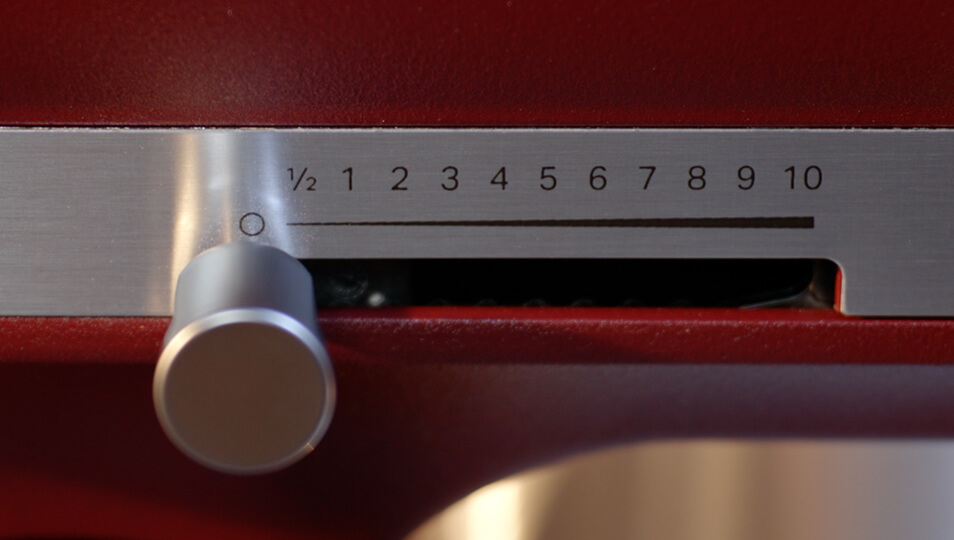
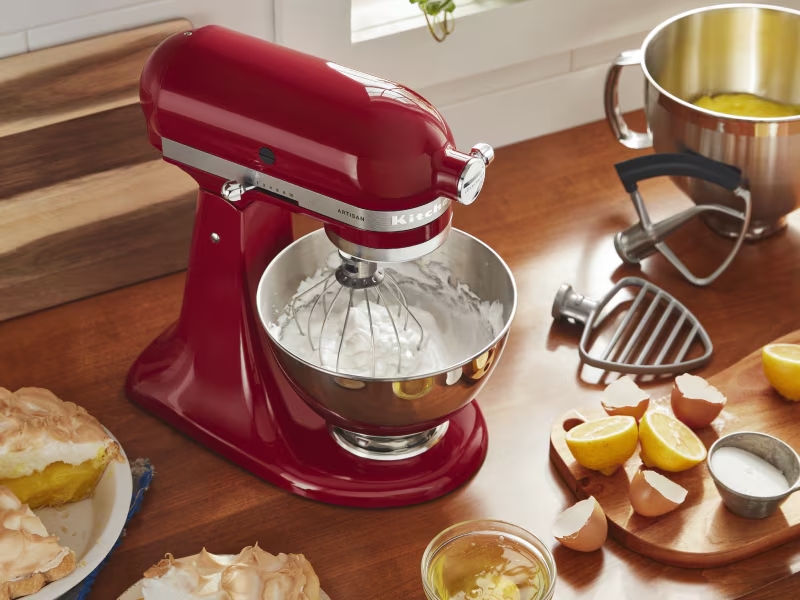
If certain speeds surge, skip or feel inconsistent, the speed control lever may not be moving cleanly from one setting to the next. You might notice hesitation at lower speeds or a sudden jump higher than expected, even when the lever feels firmly in place.
If the speed seems uneven, notice whether it happens only with thick mixtures or even when the bowl is empty. Dense mixtures like brownie batter or quick bread batter can create resistance that makes the mixer sound or feel slower.
Some mixers also include Soft Start, which may cause the mixer to hesitate briefly before gradually increasing to the selected speed. This is designed to help prevent flour and other ingredients from flying out of the bowl.
If the speed still surges, skips or hesitates with an empty bowl, professional service may be needed. If you’re unsure how each setting should behave, this guide to stand mixer speeds can help you compare expected speed performance.

Fit, movement and adjustment troubleshooting
When the bowl sits too high or too low, the flat beater can scrape the bottom or miss ingredients entirely. Motor head movement, shaking, loose accessories or bowl instability can also affect mixing consistency over time.
These troubleshooting tips cover common fit, movement and adjustment concerns for both tilt-head and bowl-lift models.

8. Beater hits the bowl or misses ingredients at the bottom
If the beater scrapes the bowl, it may be sitting too low. If ingredients collect at the bottom untouched, the beater may be sitting too high. In either case, the beater-to-bowl clearance may need adjustment.
To check the beater-to-bowl clearance, place a dime in the stand mixer bowl with the flat beater attached. Turn on the mixer and watch how the dime moves. If the dime doesn’t move, the beater is too high. If the dime moves continuously around the bowl, the beater is too low.
When the stand mixer is properly adjusted, the dime should move about a quarter inch inside the mixer bowl with each pass of the beater. From there, review how to adjust your stand mixer, since the adjustment screw location differs between tilt-head and bowl-lift models.

9. Head wobbles, shakes, lifts or won’t stay locked
A small amount of movement or shaking can happen during dense mixing, especially with stiff doughs, heavy batters or larger batches. Some slight vibration during use is normal, and a tilt-head mixer head may move slightly up and down when working through heavier mixtures.
If the motor head lifts noticeably, knocks, shakes excessively or will not stay locked, stop the mixer and make sure the head is fully lowered and locked before continuing. If the head will not lock, the beater may be sitting too low and the beater-to-bowl clearance may need adjustment.
If wobbling or shaking continues during lighter mixtures or seems to get worse over time, check whether the neck pin is loose. The neck pin is the silver pin that runs through the neck of a tilt-head stand mixer and fastens the mixer head to the base. The rounded ends of the pin are visible on both sides of the neck. If the pin shifts out of place, the head may bounce, shake or wobble more than expected.
To help correct the issue, the pin can be pushed back into place and the screw that holds it can be tightened. Depending on your model, you may need a 1/8-inch hex drive or Allen wrench. To access the screw, carefully lay the mixer on its side and look inside the neck of the mixer. Refer to your owner’s manual for model-specific instructions on where to find the screw and how to tighten the neck pin properly.

10. Bowl won’t lock into place or feels unstable
A bowl that rocks, shifts or will not lock into place may not be fully seated, or the connection points may be worn. Start by checking how the bowl attaches to your specific mixer style.
On a tilt-head model, place the bowl on the base plate and rotate it until it locks securely. If the bowl still feels loose, inspect the base of the bowl and the base plate for worn or damaged “bumps” that help hold the bowl in place. If these areas are worn, the bowl or base plate may need to be replaced.
On a bowl-lift model, make sure both sides of the bowl are seated evenly on the support arms. Then press firmly down on the back of the bowl until it snaps into place. The bowl may look level before it is fully locked, so listen for the snap before mixing. New bowls may feel harder to secure at first, but they can become easier to snap into place over time.
If the bowl comes loose while kneading bread dough, check your speed setting. Kneading at speeds higher than Speed 2 can cause the force and weight of the dough to unlock the bowl. Beater-to-bowl clearance can also affect stability: a beater that sits too low can press into the bowl and keep a tilt-head mixer from locking fully.
If a bowl-lift bowl still will not stay secure after these checks, the bowl clips may be worn and need replacement.

11. Attachment hub or accessories are not working properly
If a KitchenAid® stand mixer attachment does not operate as expected, first make sure it is fully secured in the front attachment hub. KitchenAid® attachments that connect to the power hub are designed to fit all KitchenAid® stand mixers, but they still need to be inserted and tightened correctly before use.
If the attachment seems loose, does not engage or performs inconsistently, stop the mixer and review the attachment instructions before trying again. Choosing genuine KitchenAid® attachments and accessories designed for your KitchenAid® stand mixer model can help support proper fit and performance. See the attachment buying guide from KitchenAid to find your match.

Noises, smells and service signs
Changes in sound, smell, movement or residue around the motor head can be early signs that your stand mixer needs attention. In many cases, the cause is minor, but recurring symptoms should be watched closely.
The pattern matters. A one-time click during a dense batch is different from repeated grinding, burning smells during light use or movement that seems to get worse over time. A brief noise during heavy mixing or a few drops of oil after storage may not require service right away. Wipe away residue, check setup and watch whether the symptom returns.

12. Clicking, grinding and knocking sounds
A light clicking or tapping sound can happen when ingredients contact the bowl or when the mixer works through a dense mixture. Pause the mixer by turning the speed control to Off, then check that the bowl is locked in place and the accessory is securely attached before continuing.
Heavier mixtures like mashed potatoes or stiff doughs can create more resistance in the bowl, which may lead to occasional tapping or shifting sounds during mixing. If the sound stops after checking the bowl, accessory fit and beater-to-bowl clearance, it may not require service.
Repeated grinding, knocking or metal-on-metal sounds are different. If the noise continues after the bowl and accessory are properly secured, internal wear or a loose component may be involved. Stop using the mixer and contact KitchenAid support if the sound persists or gets worse.

13. Hot smell during mixing
A faint warm smell can happen during longer mixing sessions, especially when the mixer is working through dense doughs, large batches or several recipes back to back. The mixer head may also feel warm after extended use, such as kneading multiple batches of pasta or bread dough.
If you notice a warm smell, turn the speed control to Off and let the mixer rest before continuing. Check that the batch size is appropriate for your model and that you’re using the right accessory and speed for the task.
When kneading bread or yeast dough, use the dough hook on Speed 2. This speed is recommended to help protect the mixer motor while supporting smooth, elastic dough development. If you’re kneading on ½ Speed or Speed 1 and the mixer slows down, move up to Speed 2 for better results. Do not exceed Speed 2 when preparing yeast doughs, as higher speeds may damage the stand mixer and overworking the dough can affect the final texture.
If the smell appears during lighter tasks, keeps returning after the mixer cools or happens alongside power loss, slowing performance or unusual sounds, stop using the mixer and contact KitchenAid support.
14. Oil leakage or residue
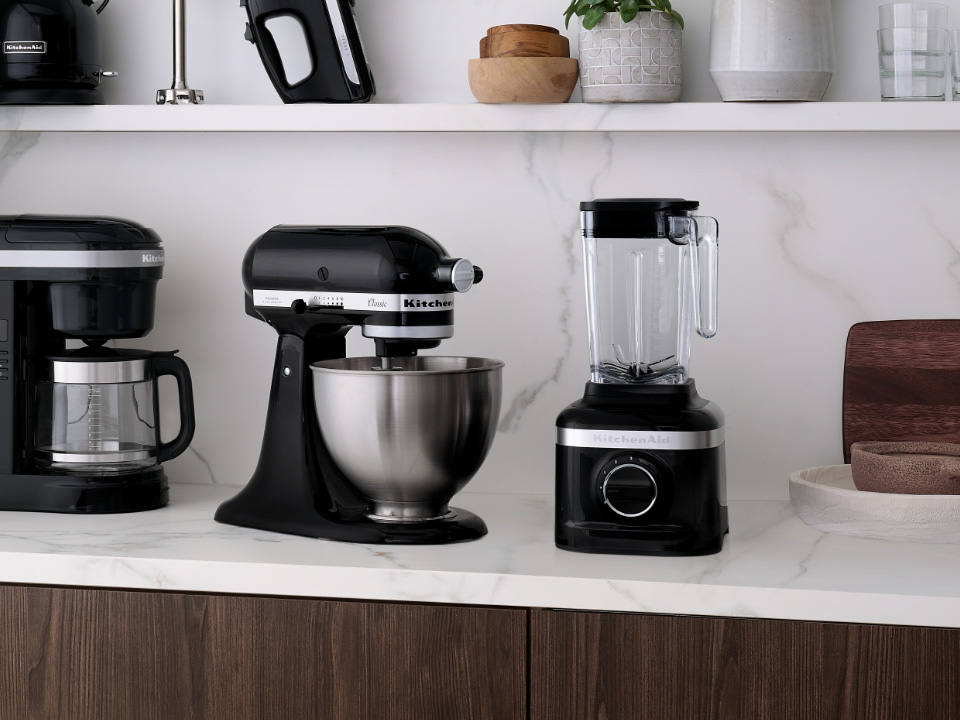
A few drops of food-grade oil near the beater shaft, in the bottom of the bowl or around the motor head can appear during the lifespan of a KitchenAid® stand mixer, especially after long storage or extended periods without use. This happens because the mixer is packed with solid, food-grade grease that lubricates the gears as the mixer runs. Over time, some oil can separate from that grease and naturally settle at the lowest point of the motor head.
Where the oil appears often depends on how the mixer has been stored. If the mixer is upright, oil may settle near the beater shaft. If it has been stored or shipped on its side, oil may appear near the lock lever or speed control slots. Warm weather, long storage periods or infrequent use can also make oil separation more noticeable.
To help reduce oil leakage, store the mixer upright and run it at least once per month with or without ingredients in the bowl to keep the grease distributed. If you have not used your mixer in a while, run it empty on Speed 10 for about two minutes before use, then turn it off and wipe away any excess oil around the planetary action. Some oil may splatter during this process, so attaching the pouring shield can help contain it.
A small amount of oil is usually not harmful to the mixer, and the food-grade grease is approved for incidental contact with food. However, oil may discolor light-colored foods like frosting or mashed potatoes, so wipe away residue before mixing. You do not need to add oil as part of regular maintenance.
If the mixer loses a large amount of oil, leakage keeps returning after regular use or the mixer begins grinding or sounding unusual, contact KitchenAid support or an authorized service provider. A servicer may need to remove the old grease, repack the mixer with new grease and replace the gasket or internal seals.

15. When official support is the next step
Reach out to KitchenAid support if power continues cutting out, oil leakage keeps returning, the beater shaft no longer rotates properly or adjustments no longer hold. You should also stop using the mixer if you notice repeated grinding, a damaged power cord or movement that becomes worse over time.
Before contacting support, have your model number, serial number and a clear description of when the symptom occurs. Note whether it happens under load, at all speeds or only with a specific attachment. Details like motor head wobble, a loose neck pin or a drifting speed control lever can help narrow the cause more quickly.

KitchenAid® stand mixer care tips
A few simple care habits can help keep your stand mixer ready for everything from weeknight meal prep to holiday cookies or weekend bread making. After each use, take a moment to clean, check and store your mixer and accessories properly.
Turn the mixer off and unplug it before cleaning. Always disconnect the mixer before wiping the body, cleaning the beater shaft or removing accessories.
Wipe down the mixer body after each use. Use a soft, damp cloth to clean flour, batter or splatter from the exterior, speed control lever and area around the attachment shaft. Avoid immersing the mixer body in water.
Clean bowls and accessories according to their care instructions. Stainless steel, glass and ceramic mixing bowls can go in the top or bottom rack of the dishwasher. Coated and stainless steel accessories, along with the pouring shield, are top-rack dishwasher safe, while some wire whips and burnished aluminum accessories should be hand-washed, rinsed and dried thoroughly. To confirm care instructions for your specific tools, learn more about which attachments and bowls are dishwasher safe.
Do not store accessories on the beater shaft. Storing beaters, whips or dough hooks on the shaft can make accessories harder to remove and may leave residue around the connection point. Keep the flat beater, dough hook and wire whip together in a drawer, bin or organizer so they stay protected and easy to find.
Store the mixer upright in a dry location. Keeping the mixer upright helps reduce the chance of oil shifting toward the lock lever or speed control slots. A dry storage spot also helps protect the finish and accessories between uses. Learn more about how to store your stand mixer.
Run the mixer occasionally if it has been stored for a while. Periodic use can help keep internal grease distributed. If you have not used the mixer in a while, run it empty briefly before your next recipe and wipe away any oil residue before adding ingredients.
Check setup before your next batch. On tilt-head models, confirm the motor head locks fully before mixing. On bowl-lift models, make sure the bowl is seated correctly and lifts evenly on both sides.
Recheck beater-to-bowl clearance if mixing performance changes. If ingredients start collecting at the bottom of the bowl or the beater begins scraping, the clearance may need adjustment before your next batch.
Shop KitchenAid® Artisan Plus stand mixers
KitchenAid® Artisan Plus stand mixers are designed to make everyday mixing feel more intuitive, with features that support visibility, control and smooth prep across a range of recipes. Two Speed Control Modes let you choose between Precision Speed or presets, while the Bowl Light gives you a clear view as ingredients come together.
Dishwasher-safe stainless steel accessories make cleanup easy after everyday mixing tasks, from muffin batter and buttercream to shredded chicken and pizza dough. The double flex edge beater scrapes more of the bowl as it mixes, reducing the need to stop and scrape by hand*. Soft Start helps reduce ingredient splatter, while ½ Fold Speed gently incorporates delicate ingredients.
*Compared to our Single Flex edge beater

Stand mixer troubleshooting and service FAQs
Still have questions after working through the main troubleshooting sections? These FAQs cover common follow-up questions about resetting, servicing and maintaining your KitchenAid® stand mixer.
How do I reset a KitchenAid® stand mixer?
Turn the speed control lever to Off, unplug the mixer and wait a few minutes before plugging it back in. If the mixer still does not start, allow it to cool for about 30 minutes before turning it back on.
Where to check for warranty on KitchenAid® stand mixers?
You can review your appliance warranty through your owner's manual, product registration or KitchenAid brand customer support for details specific to your mixer. Warranty coverage varies by model and purchase date. New KitchenAid® stand mixers have a one-year limited warranty that covers hassle-free replacement of your stand mixer.
Where can I get my KitchenAid® stand mixer repaired?
KitchenAid offers authorized service and repair options. Check out more details on stand mixer repair options. Before scheduling service, have your model number ready and make note of the troubleshooting steps you've already tried.
Can I order replacement parts and accessories for my KitchenAid® stand mixer?
Yes. Replacement parts and accessories are available for many tilt-head and bowl-lift stand mixer models. Always confirm compatibility with your specific mixer before ordering accessories, bowls or replacement components.